Visual Paintings Resource Pack (26.1.2, 1.21.11): HD Canvas Artwork, Dynamic Framed Art & Decoration Guide
Looking to elevate your interior design, transform blank walls into fine art galleries, and add breathtaking high-definition artwork to your Minecraft structures? Visual Paintings Resource Pack (26.1.2 for Minecraft 1.21.11) is the ultimate aesthetics and decoration resource pack designed to replace default pixelated canvas blocks with crisp, detailed visual masterpieces, modern art pieces, and medieval wall hangings.
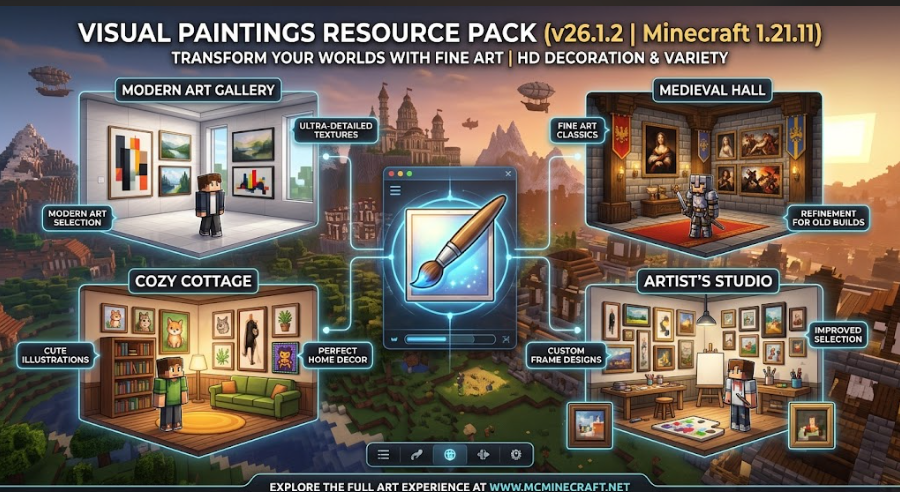
Whether you are decorating a luxury modern villa, crafting cozy tavern interiors, building intricate museums, or designing immersive roleplay servers, Visual Paintings Resource Pack (26.1.2, 1.21.11) provides HD visual clarity, vibrant color balance, custom frame textures, and zero performance impact.
Key Features of Visual Paintings Resource Pack (26.1.2, 1.21.11)
1. High-Definition & Enhanced Canvas Artwork
-
HD Painting Overhaul: Upgrades standard low-resolution Minecraft paintings to crisp, high-detailed digital art, classic oil paintings, landscape portraits, and aesthetic modern prints.
-
Vibrant Color Grading: Carefully tuned saturation and contrast ensure art pieces pop naturally under both vanilla lighting and custom shader packs.
2. Diverse Art Styles & Architectural Fit
-
Multiple Aesthetic Categories: Features a rich variety of artwork ranging from cozy rustic landscapes and classic Renaissance portraits to sleek abstract art for modern builds.
-
Custom Wooden & Gold Frames: Refined frame border textures that seamlessly blend with wood, stone, quartz, and concrete wall designs.
3. FPS-Friendly & Universal Mod Compatibility
-
Zero Lag Performance: Optimized texture compression guarantees zero drop in FPS, making it perfect for low-end PCs and massive SMP servers alike.
-
OptiFine, Iris & Vanilla Native Support: Works flawlessly across Minecraft 1.21.11 vanilla clients, Fabric, Forge, and NeoForge modpacks without requiring external plugins.
How to Install Visual Paintings Resource Pack (26.1.2, 1.21.11)
-
Download the Pack: Grab the official
Visual_Paintings_Resource_Pack_26.1.2.zipfile. -
Open Resource Packs Folder: Launch Minecraft, navigate to Options > Resource Packs, and click Open Pack Folder.
-
Move to Folder: Drag and drop the downloaded
.zipfile into theresourcepacksdirectory. -
Activate & Decorate: Select Visual Paintings Resource Pack in your active resource pack list, click Done, and start placing artwork on your walls!
Why Download Visual Paintings Resource Pack for Minecraft?
If you want to instantly upgrade your interior aesthetics, bring realistic HD art into your survival builds, and transform plain walls into impressive galleries, Visual Paintings Resource Pack (26.1.2, 1.21.11) is a must-have addition to your resource pack collection.