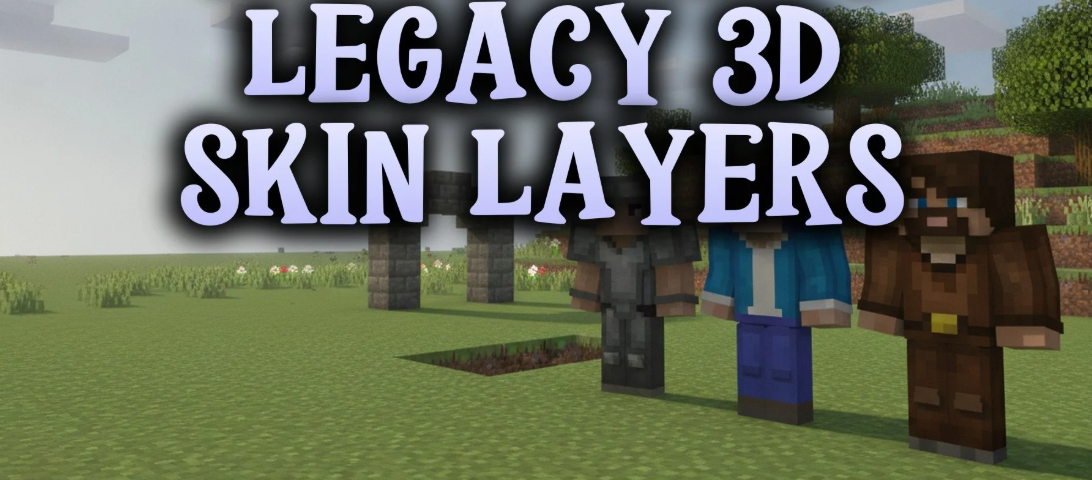
Legacy 3D Skin Layers Mod backports the 3D skin layer mechanic from 3DSkinLayers to older Minecraft versions running 1.8 Fabric. It turns the flat second outer layer of your character skin into a full volumetric 3D model. This mod gives hats, jackets, sleeves, and pants extra depth without changing your original skin texture file. It also reads configuration files from the original project, keeping settings straightforward when playing on classic versions.
How to Use and Install the Mod
- Check Mod Compatibility: Make sure the mod supports your Minecraft version and the mod loader you are using.
- Download the Mod: Get the correct mod file from the official project page or a trusted download source.
- Install Required Dependencies: Check whether the mod requires additional libraries, APIs, or other mods before launching the game.
- Install and Launch Minecraft: Follow the installation instructions, place the mod file in the appropriate
modsfolder if required, and start Minecraft using the compatible mod loader. - Explore the Mod Features: Enter your world and follow any in-game instructions to discover new items, mobs, blocks, mechanics, or other features added by the mod.
Tip: Always use a mod file that matches your Minecraft version and mod loader. Check the creator’s instructions for any special installation steps or compatibility requirements.