If you are looking to turn your Minecraft world into a fantasy creature paradise inspired by House of the Dragon, How to Train Your Dragon, and ARK: Survival Ascended, the Fire&Flight mod is an essential addition to your 1.20.1 modpack.
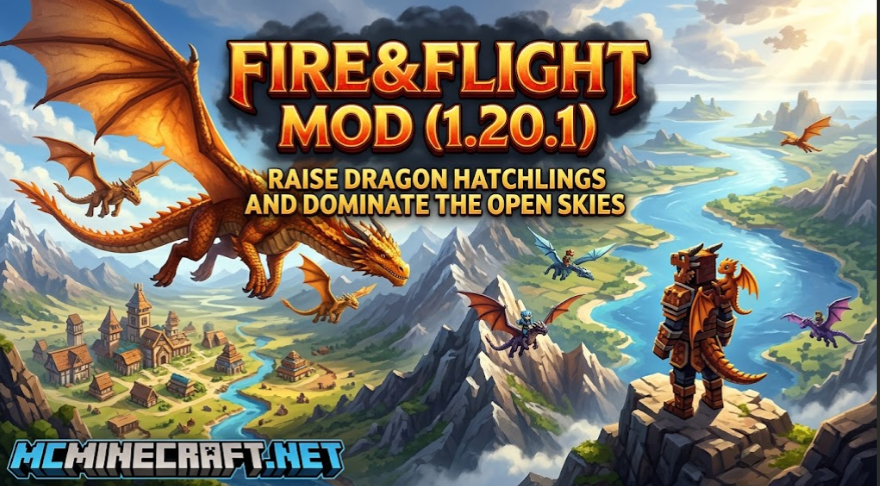
In this guide, we’ll cover everything you need to know about Fire&Flight for Minecraft 1.20.1 (Fabric), including wild dragon behavior, egg hatching, shoulder pets, dragon bone harvesting, and step-by-step setup instructions.
Key Features & Dragon Mechanics
Fire&Flight brings dynamic, living dragon ecosystems directly into your survival world with immersive breeding, shoulder-riding, and loot mechanics:
-
Wild Nests & Nest Protection: Female dragons (like the fearsome Aeraxis) build nests across the world and fiercely defend their unhatched eggs from intruders.
-
Hatching & Taming System: Once acquired, place an egg in your base—after 30 minutes, it hatches into a baby dragon that automatically tames to you.
-
Shoulder Companion Stage: Baby hatchlings can sit directly on the player’s shoulder during their 5-day growth cycle, accompanying you on dangerous expeditions.
-
Breeding Mechanics: Pair mature dragons using their favorite foods. Females have a chance to lay up to 3 rare eggs before entering a breeding cooldown period.
-
Dragon Bones & Scales: Defeated or grown dragons drop specialized scales and bones, unlocking recipes for high-tier weapons, tools, and dragon armor sets.
-
GeckoLib Animated Visuals: Smooth, cinematic flight and attack animations powered by the GeckoLib engine.
How Dragon Hatching and Growth Works
To build your own dragon sanctuary, keep these key timings and rules in mind:
-
Obtaining Eggs: Find a female Aeraxis nest in the wild and defeat or distract the mother to secure the egg.
-
Egg Incubation Time: Place the egg in a safe area. Hatching takes 30 real-time minutes.
-
Baby Growth Rate: Baby dragons take 5 Minecraft days to reach full adult size.
-
Breeding Cooldown: After a successful breeding cycle, both parent dragons enter a 10 Minecraft day cooldown before they can produce eggs again.
System Requirements & Technical Dependencies (1.20.1)
To run Fire&Flight smoothly without startup errors or missing class crashes, ensure the following dependencies are installed:
| Required Dependency | Required Version / Details |
| Minecraft Version | 1.20.1 (Java Edition) |
| Mod Loader | Fabric Loader |
| Java Runtime | Java 17 or newer |
| Core API | Fabric API |
| Animation Library | GeckoLib (Fabric 1.20.1) (Required) |
How to Download and Install Fire&Flight Mod
-
Install Fabric: Download and launch the Fabric Loader installer for Minecraft 1.20.1.
-
Download Fabric API: Place the
Fabric API.jarfile inside your.minecraft/modsdirectory. -
Download GeckoLib: Get the matching 1.20.1 version of
GeckoLiband place it into themodsfolder. -
Download Fire&Flight: Download the official Fire&Flight mod file from verified repositories (CurseForge / Modrinth).
-
Launch & Play: Start your Minecraft launcher under the Fabric 1.20.1 profile and begin hunting for dragon nests!