Looking to make your Minecraft interactions feel like a movie? Cinematic Interactions Mod for Minecraft 1.21.1 is a groundbreaking visual enhancement utility designed to bring dramatic camera pans, smooth dynamic depth-of-field, and RPG-style dialogue cutscenes to your everyday gameplay.
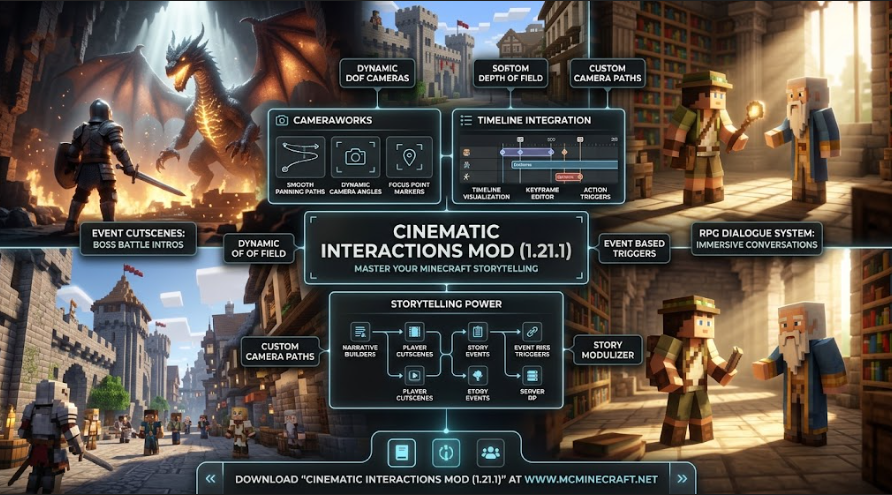
Whether you are interacting with villagers, trading with custom NPCs, opening chest interfaces, or hosting story-driven SMP roleplay servers, Cinematic Interactions Mod (1.21.1) transforms standard blocky menus into cinematic cutscenes with smooth focus shifts and realistic visual framing.
Key Features of Cinematic Interactions Mod (1.21.1)
1. Dynamic NPC & Villager Cutscene Cameras
-
Over-the-Shoulder Dialogue Angles: Automatically transitions your view into a smooth over-the-shoulder dynamic camera whenever you trade or talk with villagers and NPCs.
-
Custom Depth-of-Field (DoF) Focus: Softly blurs background environment details to keep the focus entirely on your character and your interaction partner.
2. Smooth Interface & Block Focus Transitions
-
Immersive Inventory Framing: Gently zooms and pans the camera when interacting with enchanting tables, anvils, looms, or storage chests for maximum immersion.
-
Fully Customizable Angles & Speed: Tweak transition speeds, field-of-view (FOV) values, pan curves, and focus distance via an intuitive in-game configuration GUI.
3. Server-Friendly & FPS Optimization
-
Client-Side Visual Processing: Runs entirely on the client, ensuring smooth 60+ FPS cutscene transitions without causing any server-side TPS drop.
-
Fabric, Forge & NeoForge Support: Fully compatible with Minecraft 1.21.1 installations alongside popular UI overhaul, shader packs, and questing mods.
How to Install Cinematic Interactions Mod (1.21.1)
-
Install Compatible Mod Loader: Ensure you have Fabric, Forge, or NeoForge installed for Minecraft 1.21.1.
-
Download the Mod File: Grab the official
Cinematic_Interactions_Mod_1.21.1.jarpackage. -
Move to Mods Folder: Copy the downloaded
.jarfile directly into your.minecraft/modsdirectory. -
Launch & Experience: Open Minecraft, interact with any villager or block menu, and enjoy film-quality camera transitions!
Why Download Cinematic Interactions Mod for Minecraft?
If you want to turn ordinary Minecraft dialogue and trading menus into cinematic, story-rich experiences with smooth camera movements, Cinematic Interactions Mod (1.21.1) is an absolute must-have expansion for your game.