Looking to elevate your Minecraft visuals with cinematic warmth and lifelike water without sacrificing performance? Luminol Republic Shaders (Shade Project) for Minecraft 26.3 and 1.20.1 is an exceptional shader pack designed for Iris and Sodium. It brings golden illumination, procedural cloud layers, atmospheric godrays, and natural grey-teal water reflections directly to your biomes.
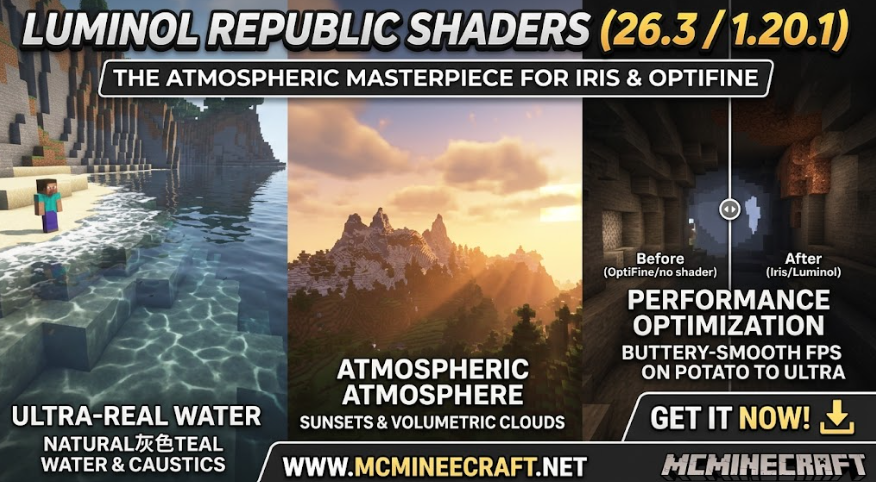
Whether you are running Minecraft on high-end rigs or potato devices, Luminol Republic (26.3 / 1.20.1) features optimized performance profiles ranging from Potato to Ultra to ensure buttery-smooth FPS.
Key Features of Luminol Republic Shaders (26.3, 1.20.1)
1. Realistic Water & Atmospheric Lighting
-
Natural Water Simulation: Sum-of-sines wave physics, sun glints, and fresnel transparency with authentic grey-teal river and ocean tones.
-
Radiant Torches & Warm Sunsets: Golden sunlight, atmospheric godrays, and warm-toned indoor torch light create an inviting survival atmosphere.
-
Procedural & Volumetric Clouds: Choose between classic flat, boxy rounded, and full 3D volumetric clouds with self-shadowing.
2. High Performance & Smart Culling
-
Potato to Ultra Profiles: 7 tailored performance presets (Potato, Extremely Low, Low, Balanced, Medium, High, Ultra) designed for every PC setup.
-
Smart Culling Technology: Automatically skips rendering unseen far shadows, distant puddles, and godrays to keep frame rates high.
3. Underwater & Weather Overhauls
-
Custom Caustics & Depth Scaling: Underwater light absorption and brightness dynamically adapt to weather, depth, and time of day.
-
Night Sky & Dimension Upgrades: Custom night stars, meteor rain/starfall events, aurora borealis, and atmospheric fog overhauls.
How to Install Luminol Republic Shaders (26.3 / 1.20.1)
-
Install Shader Mod: Make sure you have Iris + Sodium or OptiFine installed for version 26.3 or 1.20.1.
-
Download Luminol Republic Shaders: Download the latest
.zipshader file. (Do not extract it) -
Move to Shaderpacks Folder: Place the file into your
.minecraft/shaderpacksdirectory. -
Enable In-Game: Go to Options > Video Settings > Shader Packs, select Luminol Republic, and pick your preferred performance profile!
Why Choose Luminol Republic Shaders on Minecraft?
Luminol Republic Shaders strikes the perfect harmony between visual fidelity and gameplay optimization. Unlike heavy ray-tracing shaders that tank frame rates, its smart culling and warm-toned color grading ensure your builds look stunning while maintaining high FPS.
Download Luminol Republic Shaders (26.3, 1.20.1) today on www.mcminecraft.net and transform your Minecraft graphics!